Best Office Chairs for Neck Pain in 2025: Expert-Backed Picks for Relief
Best Office Chairs for Neck Pain in 2025: Expert-Backed Picks for Relief
Neck pain affects 42% to over 60% of office workers annually, making it one of the most common occupational health issues. The right ergonomic chair with proper head and lumbar support reduces cervical strain and prevents chronic discomfort. This guide covers the causes of desk-related neck pain, essential chair features, top models, and setup tips for lasting relief.
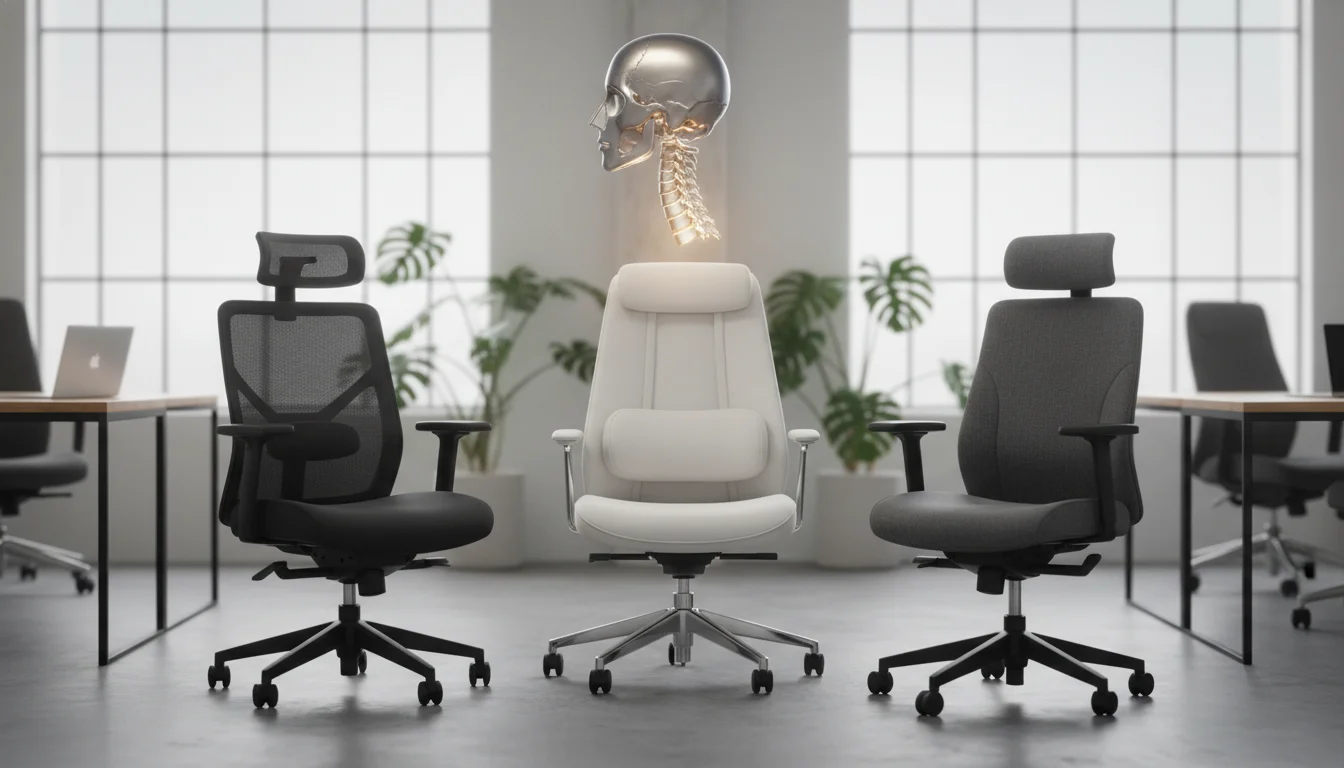
What Causes Neck Pain When Sitting in an Office Chair?
Which office chair is best for neck pain depends on understanding what causes the problem in the first place. Your cervical spine bears significant stress when posture breaks down during long sitting sessions.Here's what typically goes wrong at your desk:
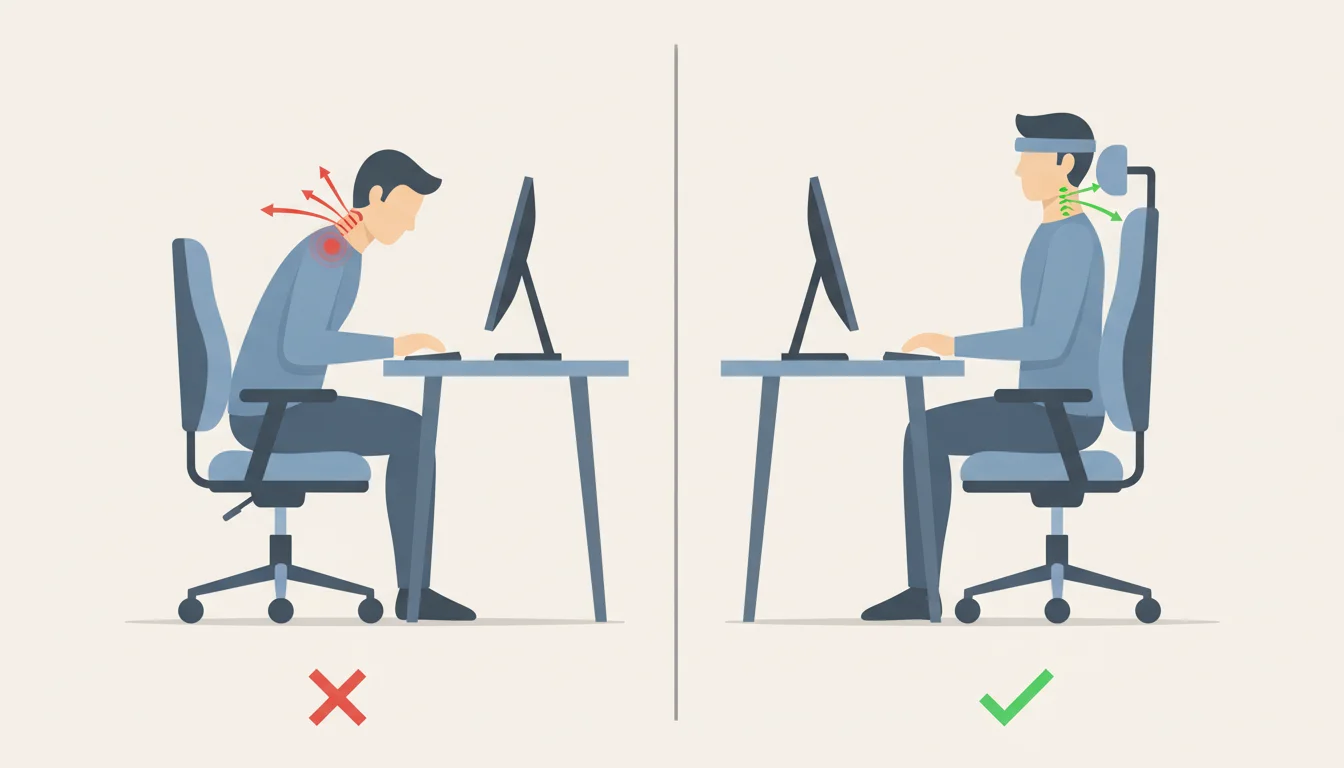
- Forward head position increases upper trapezius muscle activity by forcing your neck into a semi-flexed angle between 20-45 degrees
- Missing headrest support makes neck muscles work constantly to stabilize your head, causing fatigue and asymmetry
- Monitor positioned too low or too high forces your neck into extension or flexion for hours, leading to muscle stiffness
- Incorrectly set armrests place excess load on neck and shoulder stabilizer muscles, radiating tension upward
- Sitting longer than 4-5 hours daily doubles your odds of developing neck pain compared to less sedentary workers
Women face nearly twice the neck pain risk as men in office settings. Psychological stress compounds the issue by increasing muscle tension and reducing posture awareness. Research from Physiopedia confirms that workers who sit almost the entire day have twice the neck pain risk as those who alternate positions.
I spent three years ignoring these warning signs. The dull ache became sharp pain that followed me home every night.
Essential Features to Look for in a Neck Pain Office Chair
The difference between relief and continued suffering comes down to six adjustable components working together.
| Feature | What to Look For | Why It Matters |
|---|
| Headrest | Height, angle, and depth adjustment | Supports cervical curve and reduces muscle fatigue |
|---|---|---|
| Lumbar Support | Adjustable depth and height | Maintains spine curvature, prevents forward head drift |
| Seat Height | Pneumatic adjustment range | Keeps feet flat, thighs parallel to floor |
| Armrests | 3D or 4D adjustability | Unloads shoulder tension that radiates to neck |
| Backrest | High-back extending to shoulder level | Provides full spine support and guides posture |
| Recline | 90-125 degrees with tension control | Allows position changes and reduces disc pressure |
Breathable mesh prevents heat buildup during 8-hour sessions. Padded options work better for chronic pain sufferers who need consistent cushioning.
Fair warning: adjustable doesn't mean useful if the range doesn't fit your body. A 5'2" person and a 6'4" person need entirely different headrest height ranges. Check specs before buying.
Top Office Chair Types for Neck Pain Relief
Each chair category serves different needs and budgets. Your work style and pain severity determine which type fits best.
- High-back ergonomic chairs with integrated headrests provide full spine support from the lumbar to cervical region. The OdinLake O3 offers a 2D adjustable headrest and butterfly backrest that guides upright posture.
- Mesh chairs like the Autonomous ErgoChair Ultra 2 conform to your body while allowing airflow. Dynamic lumbar support systems adapt as you shift positions throughout the day.
- Executive chairs with padded headrests suit those who prefer cushioned comfort over firm support. The Povimo Asari includes massage functions for active tension relief.
- Gaming chairs equipped with adjustable neck pillows work surprisingly well for home offices. The Secretlab Titan Evo features a dynamic headrest that tracks head movement.
- Add-on solutions let you upgrade existing chairs with attachable neck pillows and headrests. This approach costs $30-80 versus $300+ for a new chair.
According to Boulies, most users report less neck tension after the first week with a properly adjusted ergonomic chair. The OdinLake research team emphasizes that "dynamic headrests that track head movement provide continuous and appropriate support."
I tested a gaming chair for six months before switching to a mesh ergonomic model. The gaming chair worked fine, but trapped heat made summer unbearable.
How to Set Up Your Chair and Workstation for Neck Pain Prevention
A $1,000 chair provides zero benefit with improper setup. These adjustments take 10 minutes and determine whether your investment pays off.
Monitor positioning:- Top of screen at or slightly below eye level
- Distance of one arm's length from your face
- Directly in front of you, not angled to either side
- Headrest cradling the natural curve of your cervical spine
- Seat height allowing feet flat on the floor with knees at 90 degrees
- Backrest reclined 25-30 degrees with lumbar support engaged
- Armrests positioned so elbows rest at 90 degrees with shoulders relaxed
- Micro-breaks every 30 minutes to stretch and reset
- Alternate between sitting and standing if you have a convertible desk
- Keep frequently used items within arm's reach
Trust me on the recline angle. I sat bolt upright for years thinking it was "proper posture." Reclining 25-30 degrees with good lumbar support reduces disc pressure and lets your neck muscles actually relax.
Budget Considerations: Finding the Right Chair at Every Price Point
Price correlates with adjustability and durability, not necessarily with neck pain relief potential. A $200 chair properly adjusted beats a $1,500 chair set up wrong.
| Budget Range | What You Get | Best For |
|---|
| $100-$250 | Basic ergonomic frame, add-on headrest compatibility, 1-2 year warranty | Testing ergonomic seating, tight budgets |
|---|---|---|
| $250-$500 | Integrated adjustable headrest, quality lumbar support, 3-5 year warranty | Most office workers, reliable daily use |
| $500-$800 | Full adjustability suite, premium materials, 5-10 year warranty | Chronic pain sufferers, all-day sitters |
| $800+ | Advanced customization, self-adjusting mechanisms, 10+ year warranty | Professional environments, long-term investment |
Consider the math from a different angle. A $500 chair lasting 10 years costs $50 annually. Physical therapy sessions run $75-150 each. One prevented injury pays for the chair multiple times over.
Look for trial periods before committing. Autonomous offers 30 days. Secretlab provides 49 days. If your neck doesn't feel better within two weeks of proper use, the chair isn't right for your body.
Additional Tips for Managing Neck Pain at Your Desk
Your chair handles about 60% of the equation. These habits address the rest.
- Neck stretches every hour: Slowly tilt your ear to your shoulder and hold for 15 seconds on each side. Rotate your chin to your shoulder and hold for 15 seconds. These movements take 90 seconds and prevent stiffness from accumulating.
- Standing desk converter: Alternating between sitting and standing every 30-60 minutes reduces static load on any single muscle group. Entry-level converters start around $150.
- Document holder placement: Position papers at the same height and distance as your monitor. Looking down at documents while looking up at your screen creates constant cervical adjustment.
- Professional evaluation: Persistent pain lasting more than two weeks despite ergonomic changes warrants a visit to a physical therapist. Some neck pain stems from conditions no chair can address.
I resisted the standing desk idea for years. Turns out alternating positions matters more than which position you choose. My afternoon neck stiffness disappeared within a month of switching every 45 minutes.
FAQ
How long does it take to notice neck pain relief from a new ergonomic chair?
Most users report reduced tension within 7-14 days of consistent use with proper adjustment. Chronic pain sufferers may need 3-4 weeks for muscles to adapt to new positioning.
Should I choose mesh or padded material for neck pain?
Mesh works better for warm environments and users who shift positions frequently. Padded materials suit chronic pain sufferers who need consistent cushioning and pressure distribution.
Do I need a headrest if my chair has good lumbar support?
Yes. Lumbar support prevents forward head drift but doesn't support the cervical spine directly. A headrest reduces neck muscle workload by 30-40% during reclined sitting.
Are gaming chairs actually good for neck pain or is that just marketing?
Quality gaming chairs with adjustable neck pillows provide legitimate cervical support. Budget gaming chairs under $200 typically offer fixed pillows that don't accommodate different neck lengths.
How often should I replace my office chair for neck health?
Replace chairs when cushioning compresses permanently or adjustment mechanisms fail. Quality ergonomic chairs last 7-10 years. Budget chairs typically need replacement every 2-3 years.
What's the minimum I should spend on a chair for neck pain relief?
Around $250 gets you an integrated adjustable headrest and decent lumbar support. Below this price point, expect to add aftermarket neck support accessories for $30-50.
Can standing desks eliminate the need for an ergonomic chair?
No. Most people stand 2-4 hours maximum daily. You still need proper seated support for the remaining 4-6 hours. Standing desks complement ergonomic chairs rather than replace them.
Should I see a doctor before buying an ergonomic chair for neck pain?
Consult a physician if pain radiates to your arms, includes numbness or tingling, or persists beyond two weeks despite ergonomic improvements. These symptoms suggest conditions requiring medical treatment beyond furniture solutions.