Can Office Chairs Cause Back Pain? The Truth About Your Work Chair in 2025
Can Office Chairs Cause Back Pain? The Truth About Your Work Chair in 2025
Can office chairs cause back pain? Absolutely. Over 25% of working adults in the U.S. report current back pain linked to prolonged sitting, and 40% of work-related musculoskeletal disorders involve the back. This guide explains the mechanisms behind chair-induced pain, helps you determine whether your chair is the culprit, and provides actionable solutions.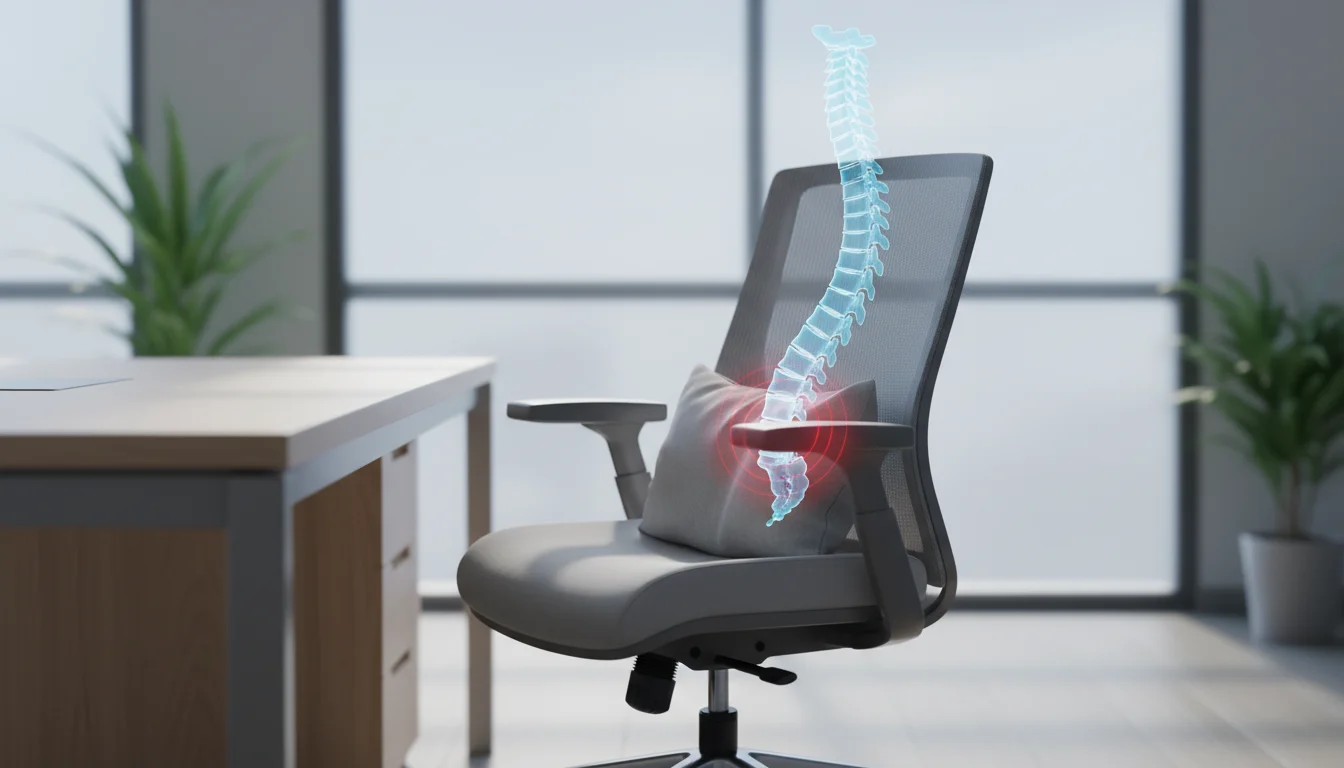
How Office Chairs Cause Back Pain: The Mechanisms Explained
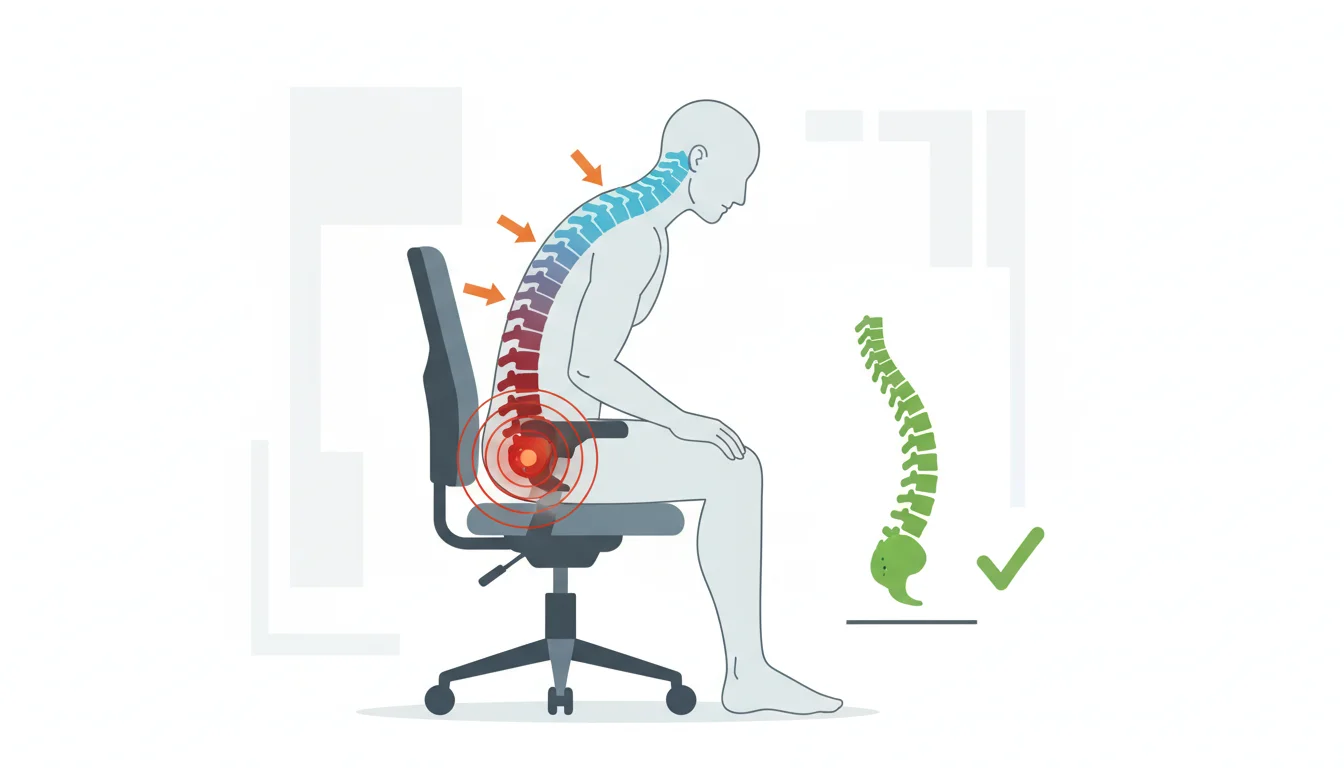
Your chair forces your pelvis to tilt backward, flattening the natural inward curve of your lumbar spine. This single postural shift triggers a cascade of problems throughout your back.
When your spine loses its S-curve, intradiscal pressure increases dramatically. The load shifts from your muscles onto passive spinal tissues and discs. Researchers McGill and Brown demonstrated that prolonged lumbar flexion causes residual creep in muscles and ligaments, increasing injury risk during subsequent activities.
Here's what happens in your body during poor sitting:
- Pelvic slump: Your pelvis tilts backward, eliminating lumbar lordosis and compressing spinal discs unevenly
- Increased disc pressure: Without natural curvature, your L4-L5 and L5-S1 discs absorb forces they weren't designed to handle alone
- Hip angle strain: Incorrect chair height creates hip flexion beyond 90 degrees, pulling your pelvis into posterior tilt
- Forward head posture: Lack of upper back support causes your head to drift forward, adding 10 pounds of perceived weight for every inch
- Blood flow restriction: Static muscles receive less oxygen, leading to stiffness and fatigue within 20 minutes
A study of 31 adults found that even with lumbar support and seat pan tilt, 39% of participants developed pain during prolonged sitting. The chair matters, but so does movement. Physiopedia
Common Chair Design Flaws That Hurt Your Back
Most office chairs share the same fundamental problems. They're built to a price point, not to your spine's specifications.
| Design Flaw | What Happens | The Fix |
|---|
| Seat depth too long | Knees hit front edge, forcing you to slouch or perch forward | 2-3 inch gap between seat edge and back of knees |
|---|---|---|
| Seat depth too short | Thighs unsupported, pressure concentrates on sitting bones | Adjustable seat pan or cushion extension |
| Fixed armrests | Shoulders elevate or you slump to reach them | Height and width adjustable armrests |
| Non-adjustable backrest | Lumbar support hits wrong spot on your spine | Adjustable lumbar height and depth |
| Flat seat pan | You slide forward, losing back contact | 5-degree forward tilt option |
| Cheap foam | Compresses within months, bottoming out | High-density foam or mesh alternative |
That sliding-forward problem deserves attention. I tested three budget chairs under $200, and all three had flat seat pans. Within an hour, I found myself perched at the front edge, my back completely unsupported. Properly adjusted armrests increase micromovements during sitting, which helps reduce muscle fatigue and maintain circulation. [UC Berkeley Ergonomics]
The Lumbar Support Myth: Why It Might Be Making Things Worse
Adding lumbar support doesn't automatically fix back pain. When positioned incorrectly, it creates new problems.
Most lumbar pillows and built-in supports hit at L3 or L4. Your lordosis apex sits at L3, but the curve extends from L1 to L5. A pillow positioned too high pushes your thoracic spine backward. Too low, and it does nothing useful.
Here's what goes wrong with lumbar support:
- One-size-fits-all positioning ignores that spinal curves vary by 2-3 inches between individuals
- Fixed depth forces the same curve on someone 5'2" and someone 6'4"
- Aggressive support pushes hypermobile spines into excessive lordosis
- Cheap memory foam compresses flat within weeks
- Pillow migration means constant readjustment throughout the day
Some people genuinely feel worse with lumbar support. This isn't a sign of a broken back—your muscles adapted to a flattened posture over years. Suddenly forcing a curve creates strain on tissues that have shortened. The solution involves gradual adjustment, not abandoning support entirely.
Quality adjustable lumbar systems let you dial in both height and depth. That's the standard you should expect from any chair claiming ergonomic design. [UPLIFT Desk]
How to Tell If Your Office Chair Is Causing Your Back Pain
The pattern of your pain reveals its source. Track these signals for one week before blaming your chair.
Timing patterns that point to your chair:- Pain starts 2-3 hours into your workday and builds
- Weekends bring relief without any other intervention
- Standing up requires a moment to "unfold"
- Pain location matches pressure points from your chair
- Do you shift position every few minutes searching for comfort?
- Are you perched at the front edge by afternoon?
- Do your shoulders creep toward your ears?
- Does your monitor position require you to crane your neck forward?
Lower back pain suggests lumbar support issues. Upper back and shoulder pain indicates armrest or backrest problems. Hip pain points to seat depth or height. [Lea Grave Therapy]
Solutions: Fixing Your Chair or Finding a Better One
Start with what you have before buying new. A $30 fix beats a $500 replacement.
DIY modifications that work:- Lumbar roll: A rolled towel at L3-L4 height costs nothing and adjusts instantly
- Seat cushion: Adds 1-2 inches of height and redistributes pressure
- Footrest: Brings thighs parallel to the floor if your chair sits too high
- Monitor riser: Eliminates forward head lean caused by looking down
| Feature | Why It Matters | Budget Option | Premium Option |
|---|
| Adjustable lumbar height | Spines differ by 2-3 inches | External lumbar pillow | Built-in adjustable |
|---|---|---|---|
| Seat depth adjustment | Thigh support without knee pressure | Seat cushion | Sliding seat pan |
| Armrest height/width | Shoulder position control | Remove fixed armrests | 4D adjustable |
| Seat pan tilt | Prevents forward sliding | Wedge cushion | Synchronized tilt |
| Quality foam/mesh | Maintains support for years | Replace cushion annually | High-density or mesh |
You don't need to spend $1,500 to get a functional ergonomic chair. The $300-500 range includes chairs with all essential adjustments. Try before you buy. Sit for 30 minutes minimum. Check return policies, because your body needs weeks to provide real feedback.
The 20-20-20 rule applies regardless of chair quality: every 20 minutes, look 20 feet away for 20 seconds and shift position. No chair eliminates the need to move.
When to See a Doctor: Back Pain Beyond the Chair
Some pain signals problems your chair didn't create—it's only making them visible.
Seek medical evaluation for:- Numbness or tingling in your legs or feet
- Pain radiating below your knee
- Weakness when lifting your foot or toes
- Pain that wakes you from sleep
- No improvement after 6 weeks of ergonomic changes
Your chair can aggravate underlying conditions like disc herniations, spinal stenosis, and facet joint dysfunction. These require diagnosis and treatment beyond furniture changes. A workplace ergonomic assessment identifies multiple contributing factors, including desk height, monitor position, and keyboard placement.
Physical therapy addresses muscle imbalances from years of poor sitting. Your hip flexors have shortened. Your glutes have weakened. Your core stopped engaging. A therapist prescribes targeted exercises that restore balance. The chair becomes one piece of a larger solution.
FAQ
How long does it take for a bad chair to cause back pain?
Acute discomfort appears within hours of sitting in a poorly designed chair. Chronic pain develops over weeks to months of daily exposure. Your body compensates initially, masking the problem until tissues reach their tolerance threshold.
Do expensive ergonomic chairs guarantee no back pain?
Price doesn't guarantee compatibility with your body. A $1,500 chair with fixed lumbar support at the wrong height causes more pain than a $300 chair that fits your spine. Adjustability matters more than brand or cost.
Should I switch to a standing desk instead of fixing my chair?
Standing all day creates different problems, including foot pain, varicose veins, and lower back fatigue. The optimal approach combines sitting and standing, alternating every 30-60 minutes. Your chair still matters for the sitting portions.
Why does my back hurt more with lumbar support?
Your spine adapted to a flattened posture over years. Forcing a curve strains shortened muscles and ligaments. Reduce lumbar depth and increase it gradually over 2-3 weeks. If pain persists, the support height needs adjustment.
How often should I replace my office chair?
Quality chairs last 7-10 years with daily use. Budget chairs need replacement every 2-3 years as foam compresses and mechanisms wear. Test your chair by sitting on a new one of the same model. A noticeable difference means it's replacement time.
Does body weight affect how quickly chairs cause pain?
Higher body weight compresses foam faster and stresses mechanisms sooner. Weight also affects optimal seat height and depth settings. Chairs with weight ratings 50+ pounds above your weight last longer and maintain support better.